💽 v2.1.0 FluentCommunity addon

Content Manager

Complete control over your FluentCommunity database, media, and content

Installs in minutes Automatic updates 14-day refunds
OVERVIEW

What it does.

Managing a FluentCommunity shouldn't require diving into databases or writing code. Content Manager gives you a powerful, intuitive interface to view, edit, duplicate, and delete all your community data—from a single unified dashboard.

Bulk import and export content for migrations or backups. Clean up your database safely. Content Manager is the Swiss Army knife for community administrators who need complete control without technical complexity.

SCREENSHOTS

A look inside.

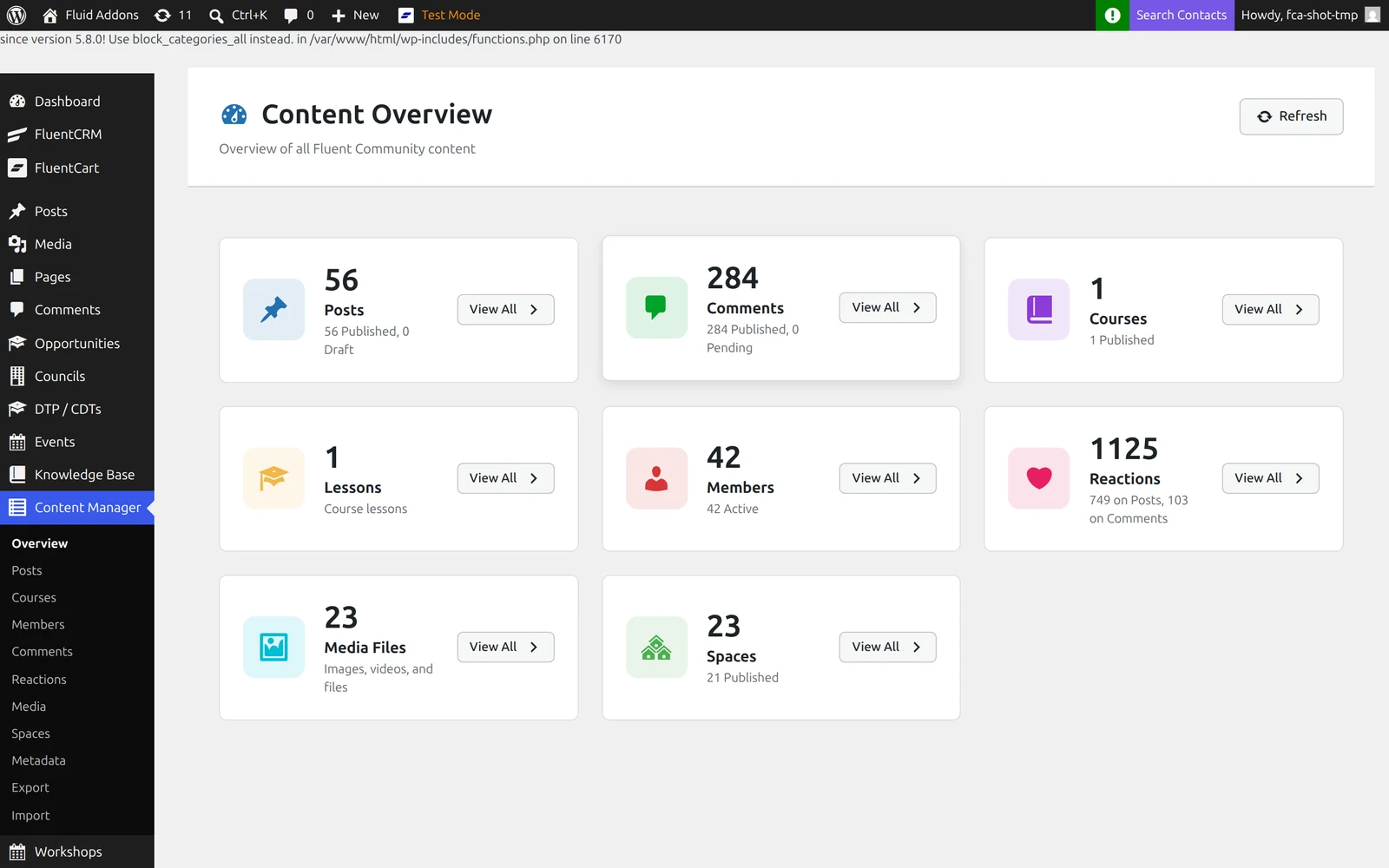
The content overview dashboard — every data type at a glance
FEATURES

Everything included.

Media Library Management
View and manage FluentCommunity media files. See which files are in use and safely remove orphaned media.
Manage All Data Types
View and edit every piece of content in your community: Spaces, Members, Posts, Comments, Courses, Lessons, Events, and more. Everything in one place.
Powerful Edit Capabilities
Edit any content directly from the Content Manager interface. Update post text, change space settings, modify member profiles, adjust course content—all without hunting through multiple admin screens.
Bulk Import and Export
Import content from CSV files or export your entire community database. Perfect for migrations, backups, or data analysis.
Safe Database Operations
Perform database operations safely with built-in safeguards. Delete, duplicate, or modify content with confidence.
HOW IT WORKS

Up and running fast.

01
Access Your Dashboard
Open Content Manager from your WordPress admin. See all your community data organized by type.
02
Edit or Manage Content
Click on any item to view details, edit content, duplicate entries, or safely delete items.
03
Import or Export Data
Use bulk import/export tools for migrations, backups, or data analysis. Export to CSV or import from existing data.
FAQ

Good to know.

Ready to add Content Manager
to your community?

Get Content Manager